
Invoices, payments & expenses — sorted from your phone.
Send a professional invoice in under a minute, record every payment against it, log expenses with the receipt photo, and always know who still owes you. No login. No Ads. Your data stays on your phone.
Made for
- Consultants
- Agencies
- IT & design freelancers
- Clinics & coaching
- Photographers
- Any small service business
How it works
From "I did the work" to "I got paid" in three steps.
Create the invoice
Add your customer and the items. Totals, tax and your business details are filled in for you.
Share the PDF
Send it on WhatsApp, email or anywhere else in one tap, with a ready-made message you can edit once and reuse.
Mark it paid
Record the payment against the invoice. Part payments, advances and credit are all tracked, and your outstanding balance updates itself.
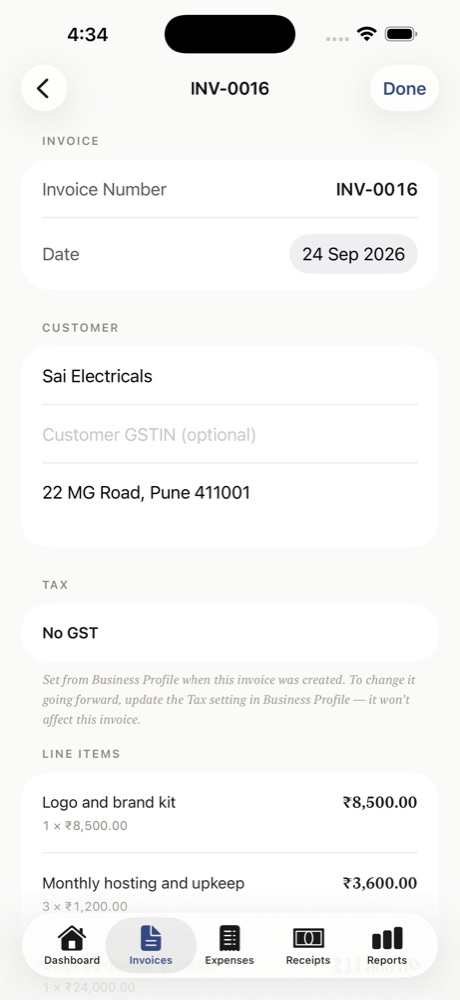
Invoicing
Invoices that look like you've done this before.
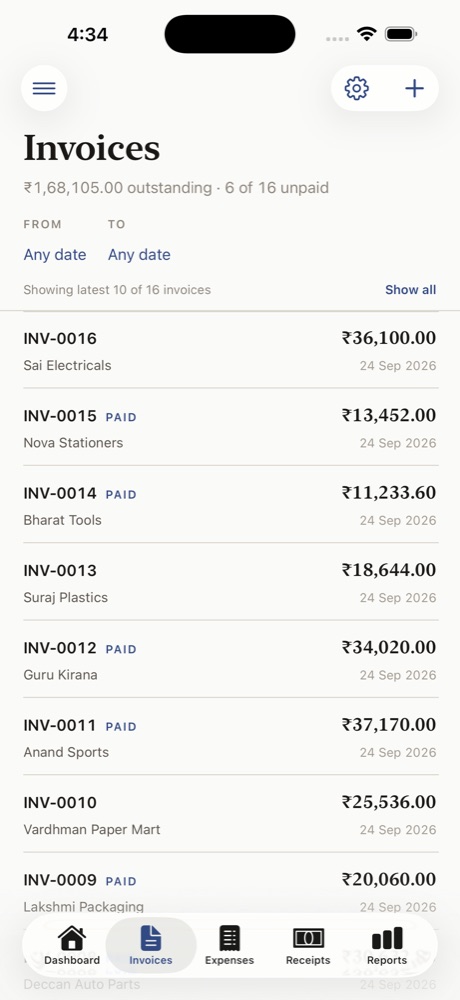
Clean A4 invoices with your business details, bank details and signature, ready to send.
- Your business details, bank details and signature on every invoice. Add tax if you charge it; leave it off if you don't.
- Four printable layouts, including a Custom one with your own logo and tagline.
- Typeahead fills repeat customers, items and rates from your own history.
- Duplicate any invoice in one tap for repeat billing.
- Deleted by mistake? Everything goes to a Trash for 30 days first.
Payments & receipts
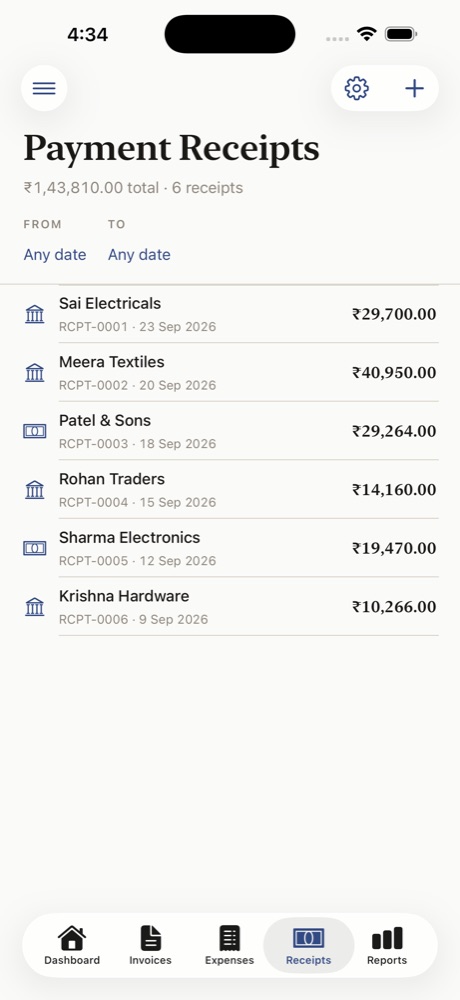
Every payment, matched to what it settles.
Stop chasing the same customer twice. BizEasy knows what's paid, part paid and pending.
- Mark an invoice paid by recording a receipt. Part payments show as "Part paid" with the balance due.
- Split one payment across several invoices in a single entry.
- Advance or overpayment? It's held as credit and applied to that customer's next invoice.
- Share a payment receipt PDF with your customer.
Expenses
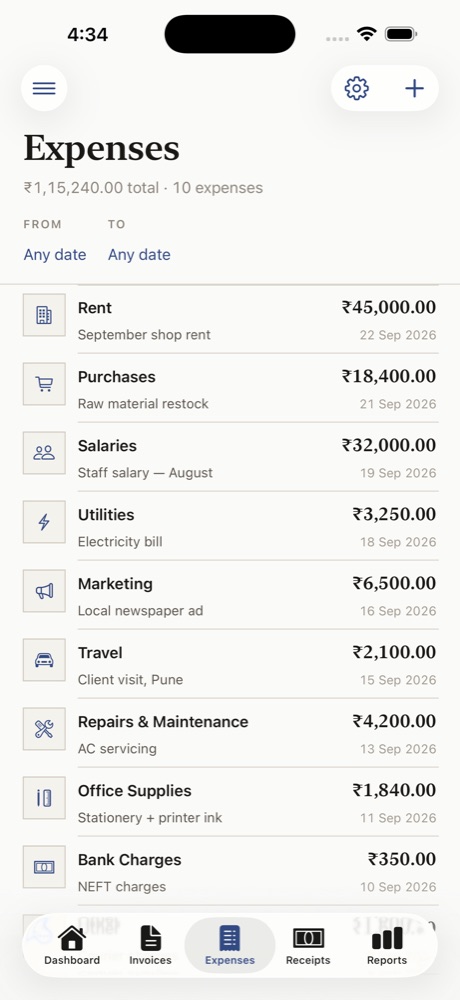
Log what goes out as easily as what comes in.
Keep every business expense with its bill, so nothing is missing at audit time.
- Sort spending into categories: rent, salaries, travel, purchases and more, plus vendor and payment mode.
- Attach a photo of the bill and highlight the vendor, amount and item instead of typing them.
- Everything stays on your device. Nothing is uploaded to read it.
Customer ledgers & reports
See where the money's coming from.
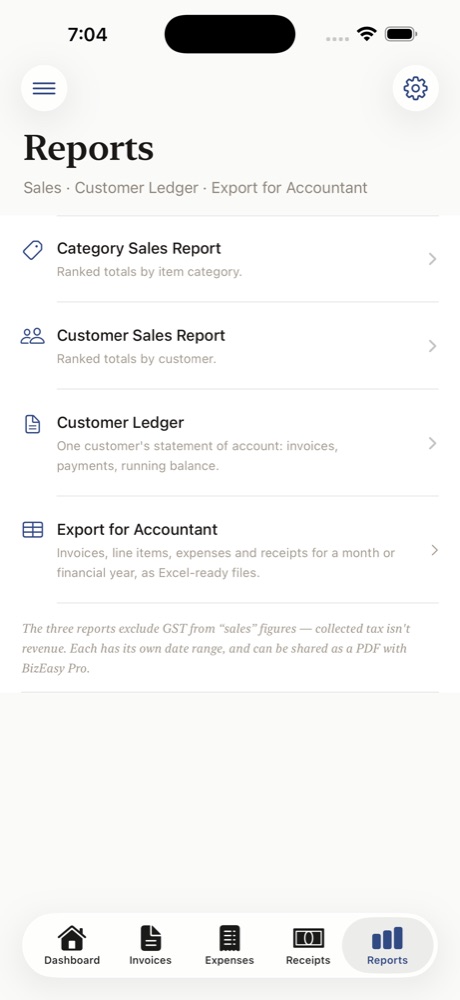
A statement of account for every customer, built from your own invoices and receipts.
- Every invoice and payment for a customer in date order, with a running balance.
- Ranked sales by customer and by item category, for any date range or financial year.
- Share a customer statement, or a whole report, as a PDF Pro
Audit-ready records
Hand your accountant clean books, not a shoebox of bills.
Everything you enter is organised as you go, so year-end is an export, not a scramble.
Excel export
Invoices, line items, expenses and receipts as spreadsheets for any period, with totals. Pro
Bills attached
Expense receipts are photographed and stored with each entry.
Customer ledgers
Opening and closing balances for any date range, per customer.
Backup & restore
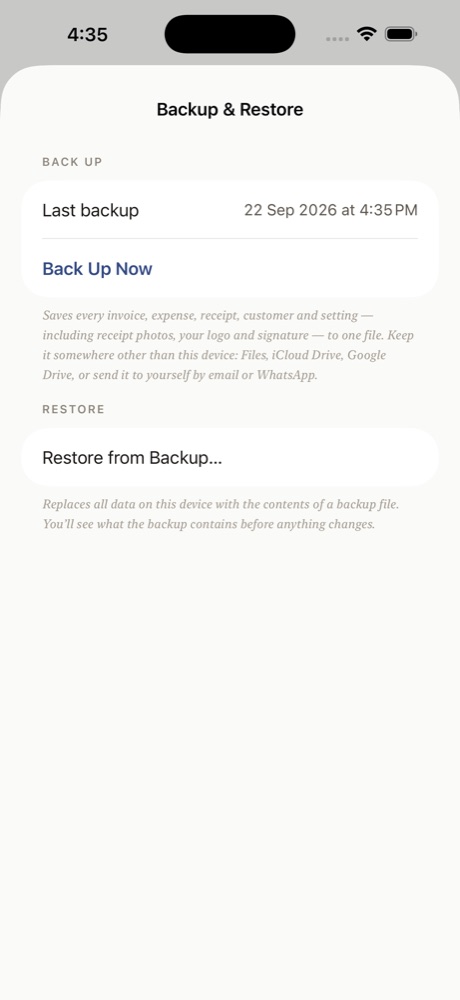
Save your whole business to Files, iCloud Drive or Drive, and restore it on a new phone.
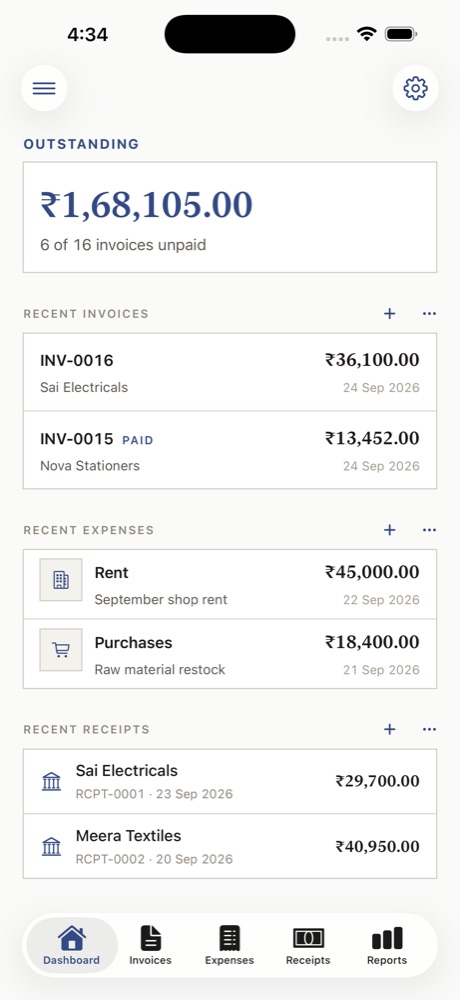
A look inside
Calm, fast and easy to read.
Pricing
Start free. Pay once,use it for Lifetime
No trial to expire, no subscription to remember to cancel.
- 5 invoices, 5 expenses and 5 receipts, free to keep
- Classic and Custom invoice layouts
- Reports, customer ledgers and a built-in tax calculator
- Backup & restore, and a 30-day Trash
- Unlimited invoices, expenses and receipts
- Modern and Formal layouts, your logo and tagline, and your signature
- Export for your accountant, and PDF reports and statements
- Scan as many receipts as you need
Questions
Good to know.
Does it support GST?
Yes, if you need it. Switch "GST Registered" on in Profile & Settings, add your GSTIN, and invoices carry HSN/SAC codes and the right tax split. If you're not registered, leave it off and invoices are tax-free.
Is there an account or login?
No. There's nothing to sign up for. Your data is stored on your own iPhone or iPad, and nothing is uploaded.
What happens if I lose or change my phone?
Use Backup & Restore to save your whole business to Files, iCloud Drive or Google Drive, and restore it on the new device. Back up regularly: because nothing is stored on a server, your phone holds the only copy.
Is there an Android version?
Not yet. BizEasy is for iPhone and iPad today.
Can my accountant use the data?
Yes. Pro can export invoices, expenses and receipts to spreadsheets for any period, and share customer statements as PDFs.
Does it replace full accounting software?
BizEasy is built for billing, payments, expenses and customer ledgers. It's not a full double-entry accounting package, so it works alongside your accountant's books.
Bill faster. Get paid. Know what you're owed.
Free on the App Store, for iPhone and iPad.